
Press Space in Finder. Proof it in Galley.
A native Mac viewer for Markdown and PubMark 0.1. Press Space in Finder for an instant offline preview, or open a file to proof it in eight templates, Paged Proof, and five projections.
- Accessibility documented
- macOS 26 or later
- Swift 6
- Offline by default
Internal to Renkara. Galley is a tool Renkara Media Group builds and runs for itself. It is not for sale, and there is nothing to buy or join.
A glance in Finder, then the full proof
Galley does two jobs, and they share one engine. The first takes a second; the second is the work.
- macOS 26 or later
- Swift 6, strict concurrency
- Offline by default
- Zero telemetry
- PubMark 0.1 and CommonMark with GFM
Moment one: Space in Finder
Select a .pub.md, .pubmark, or .md file and press Space. A Quick Look extension that carries no network entitlement hands Finder a typeset page built by the same engine as the app, and Finder's icons and columns get a drawn page thumbnail with a PUBMARK or MD corner badge.
Moment two: the proof window
Open the file in Galley. Switch among eight templates, turn on Paged Proof to see page sheets with running headers and footers, change the appearance, switch the PubMark projection, and watch the window reload when your editor, or an AI coding agent, saves the file.
Proof it in eight templates, in Paged Proof, in three appearances
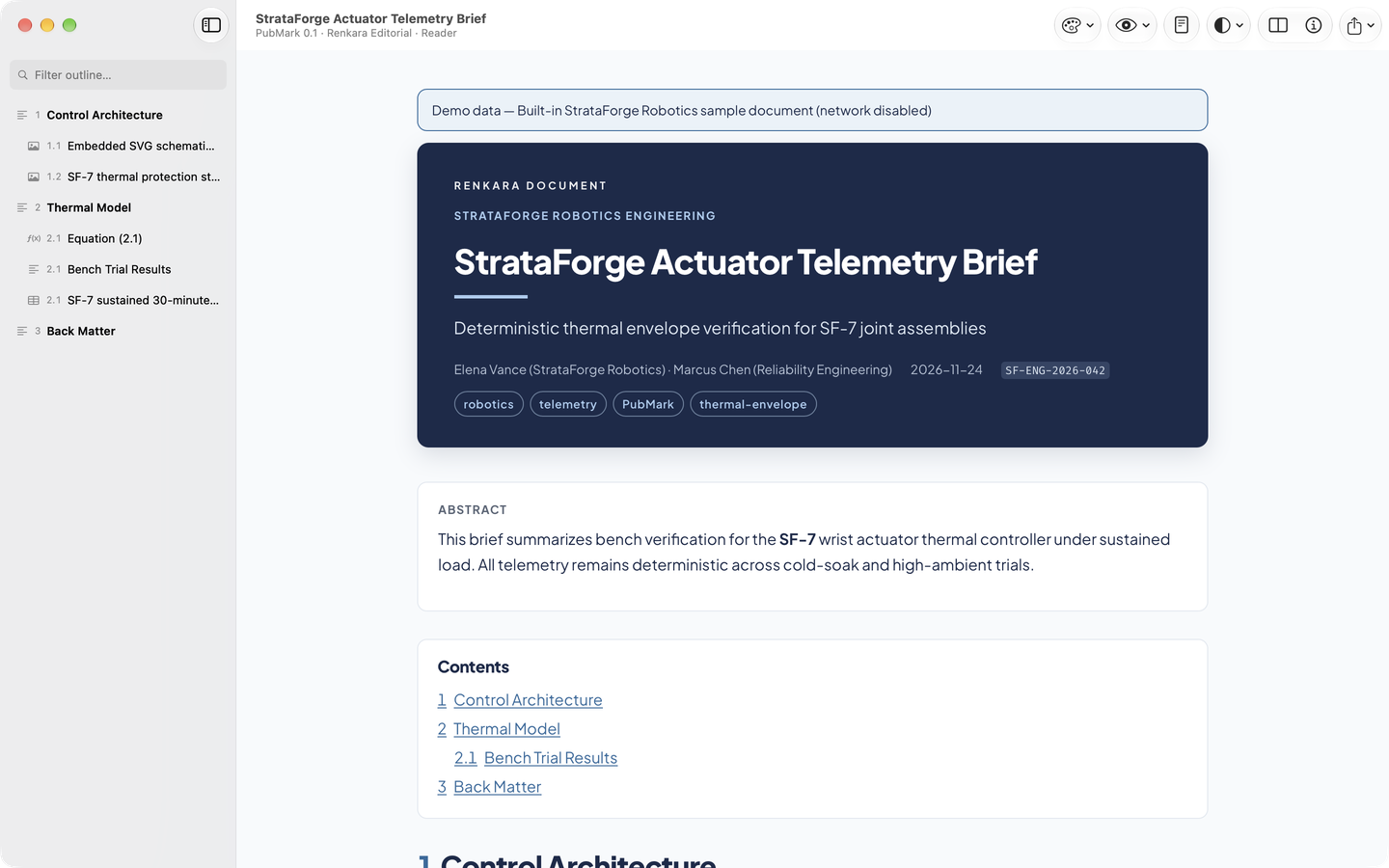
This is the StrataForge Actuator Telemetry Brief, a fictional document built into the app, drawn by Galley's own renderer. Click a template, turn the page, change the light.
Proof the StrataForge Actuator Telemetry Brief
Authentic Renkara PDF and Document styling: deep navy cover, steel-blue accents, Plus Jakarta Sans.
Loading the live preview.
This is Galley's own output: the real stylesheet of each template and the real HTML the app made for this document. Press the arrow keys inside a group to move through it. In the app the templates are on ⌘1 to ⌘8 and Paged Proof is ⌘⇧P. Math here is typeset the way Quick Look typesets it; the app draws it with bundled KaTeX. Only Renkara Editorial carries a bundled font, so the other seven use your system's fonts here, as they do on a Mac.
A viewer, a Quick Look extension, and a proof reader in one app.
Galley is internal to Renkara and is not offered for sale, and there is no sign-in, form, or download on this site. Every picture is a capture of the real app in its demo mode, and the documents in them belong to the invented StrataForge Robotics company. These are the things it does.
A glance, without opening anything
- Space on a PubMark or Markdown file
- The Quick Look extension parses the file, renders it with the app's engine, and returns self-contained HTML. It runs sandboxed with no network entitlement, and its page carries no script, so it cannot reach out or run anything the document holds.
- A thumbnail drawn for the file
- A separate extension draws each Finder thumbnail with Core Graphics from the first 32 kilobytes of the file: the title block and the shape of the blocks under it, with a PUBMARK or MD pill in the corner. It never starts a web view.
- Both file types at once
- A name like report.pub.md is a Markdown file to macOS, which is why a viewer that claims only one type misses it. Galley exports its own PubMark type and registers for both, and it also tells the two apart by the name and by the pubmark front matter.
See the page before it goes out
Eight built-in templates
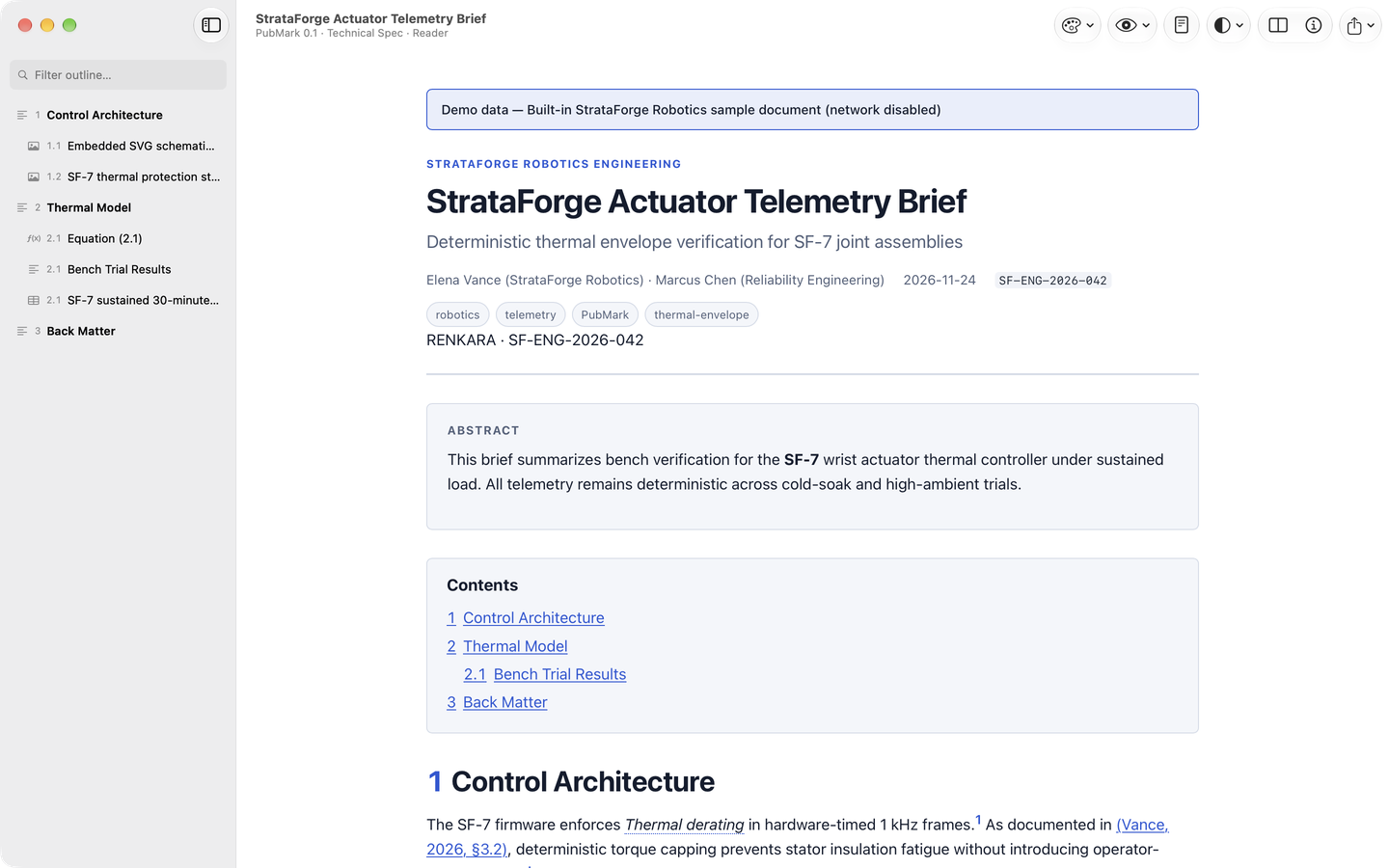
Renkara Editorial, Swiss, Manuscript, Technical Spec, GitHub, Academic, Vantalect Brief, and Minimal, each with a light and a dark form. PubMark documents open in Renkara Editorial and Markdown documents in Swiss until you choose another default.
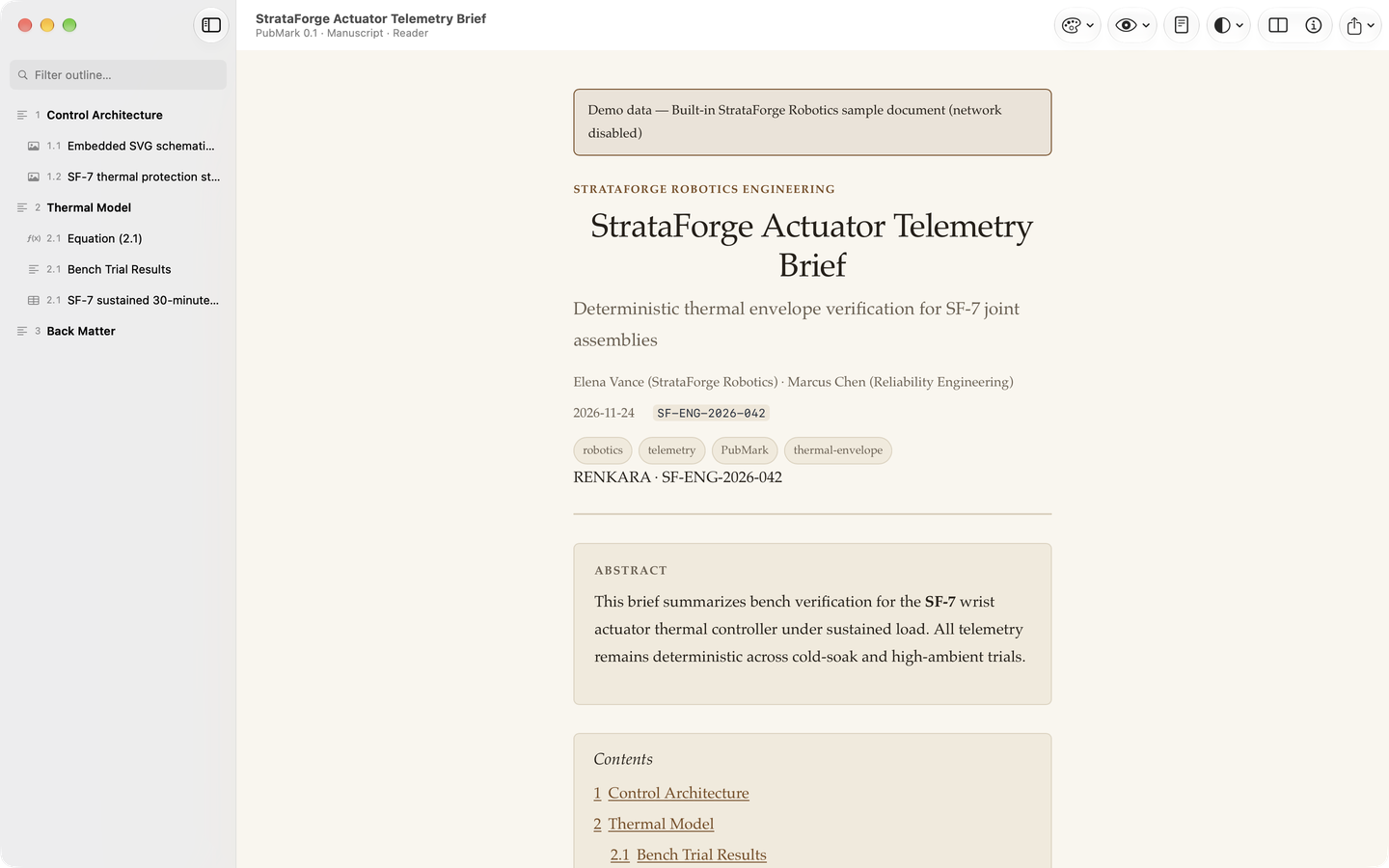
Technical Spec, and seven more
Switching is instant and keeps your place. Command-1 through Command-8 pick a template, and Command-K opens a switcher.
Paged Proof Mode
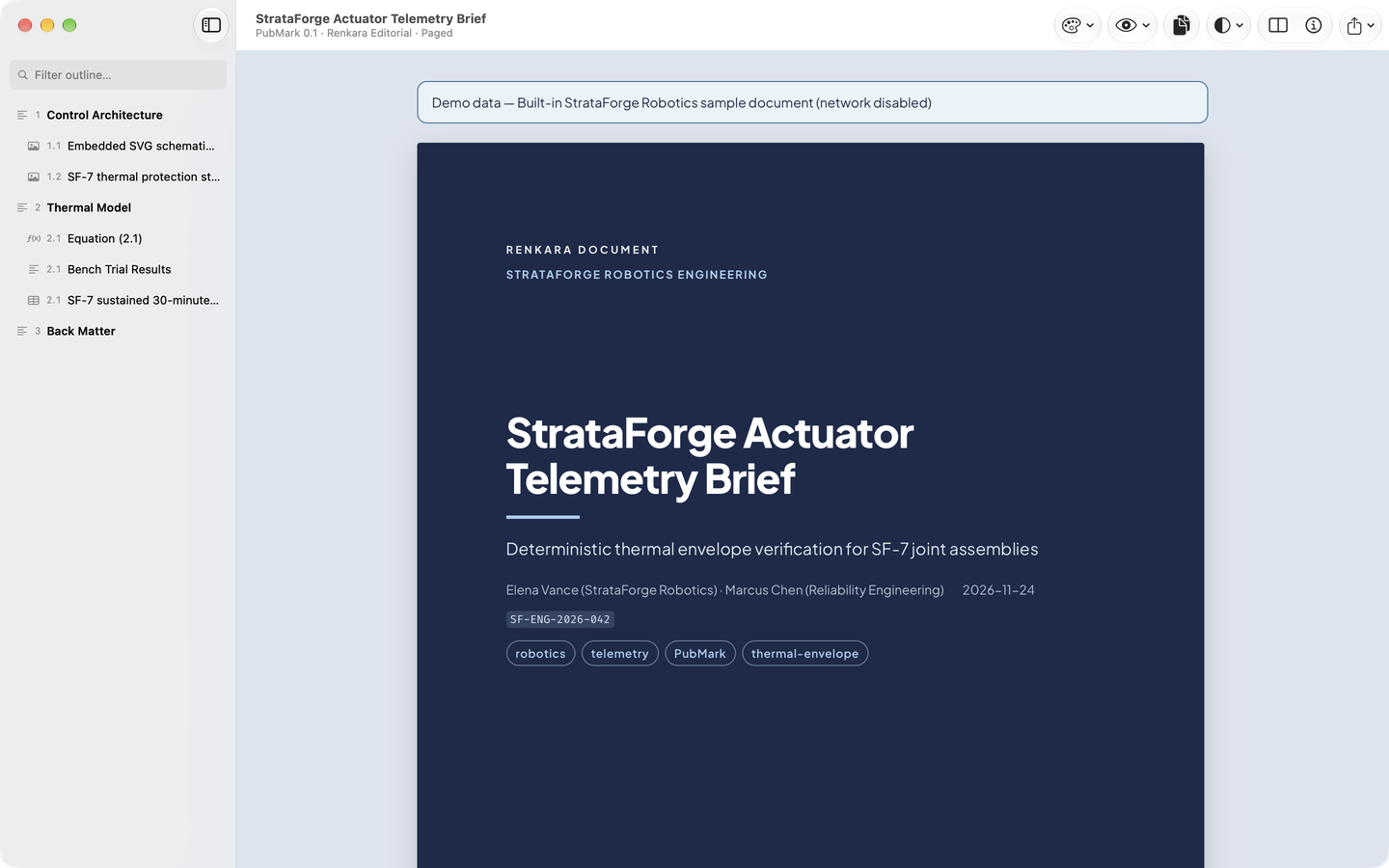
Command-Shift-P turns the continuous page into letter, A4, or custom sheets that follow the document's own page layouts, with its running headers and footers, a cover, and a switch to a landscape sheet where the document asks for one.
- System, Light, Dark, or Sepia
- The appearance control sets the rendered page on its own, so a document can be read in Sepia on a Mac that is in Dark.
- Five PubMark projections
- Reader, Author / Editorial, Submission / Clean, ATS / Plain, and Editor Preview draw the same file for different readers. Author-only markers and verification-only text appear and vanish as you switch.
A companion for the editor you already use
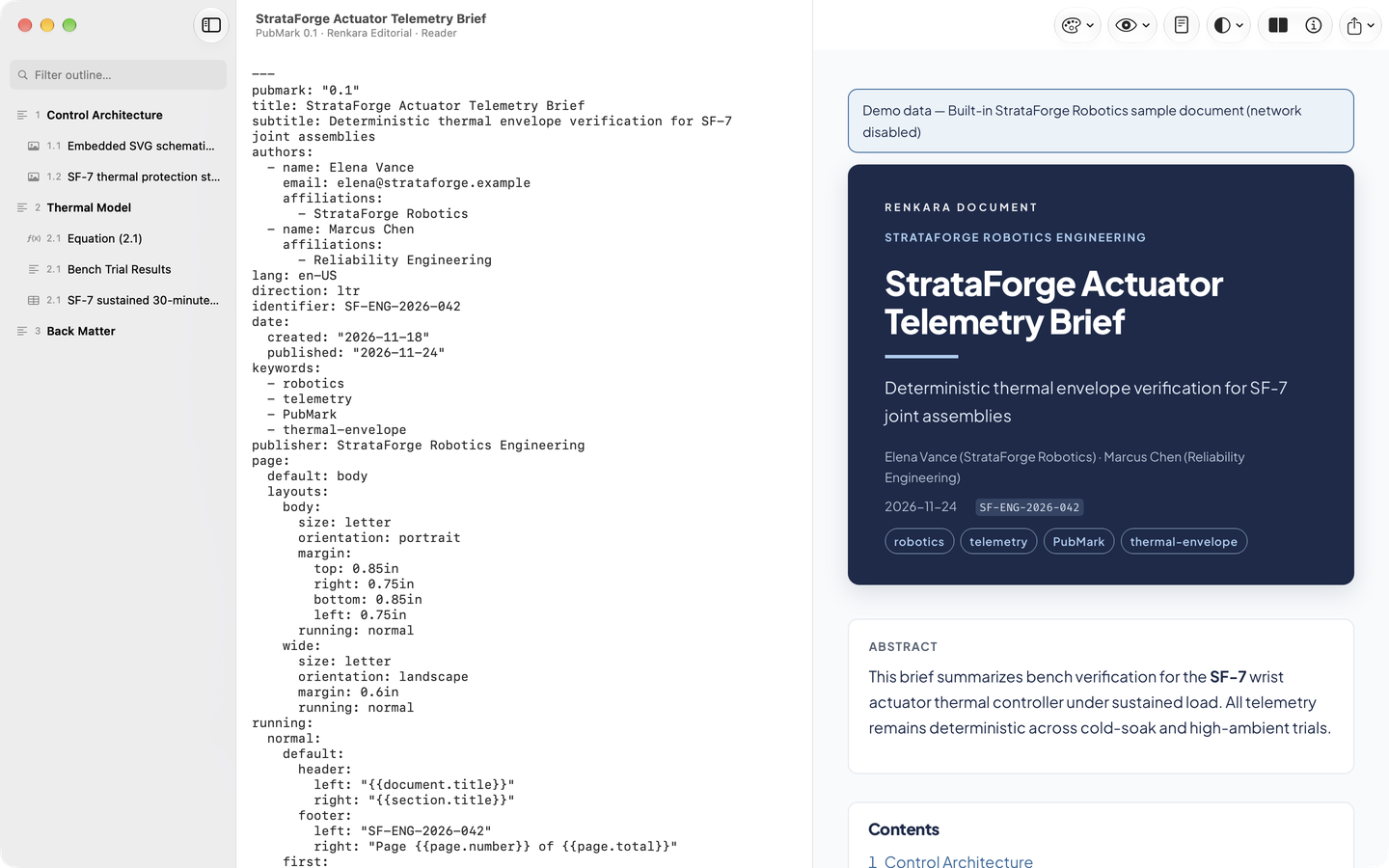
The source beside the page
Source Peek is read-only. Galley is a viewer and proof reader, not an editor: Command-E opens the file in the editor you chose.
- Live reload that survives atomic saves
- Galley watches the file and its folder, so an editor or an AI coding agent that saves by writing a temporary file and renaming it still refreshes the window. A burst of writes is coalesced over 80 milliseconds, a save that changed nothing is ignored by a hash of the contents, and the window keeps your place by the source line.
Outline, Inspector, Find, and Source Peek
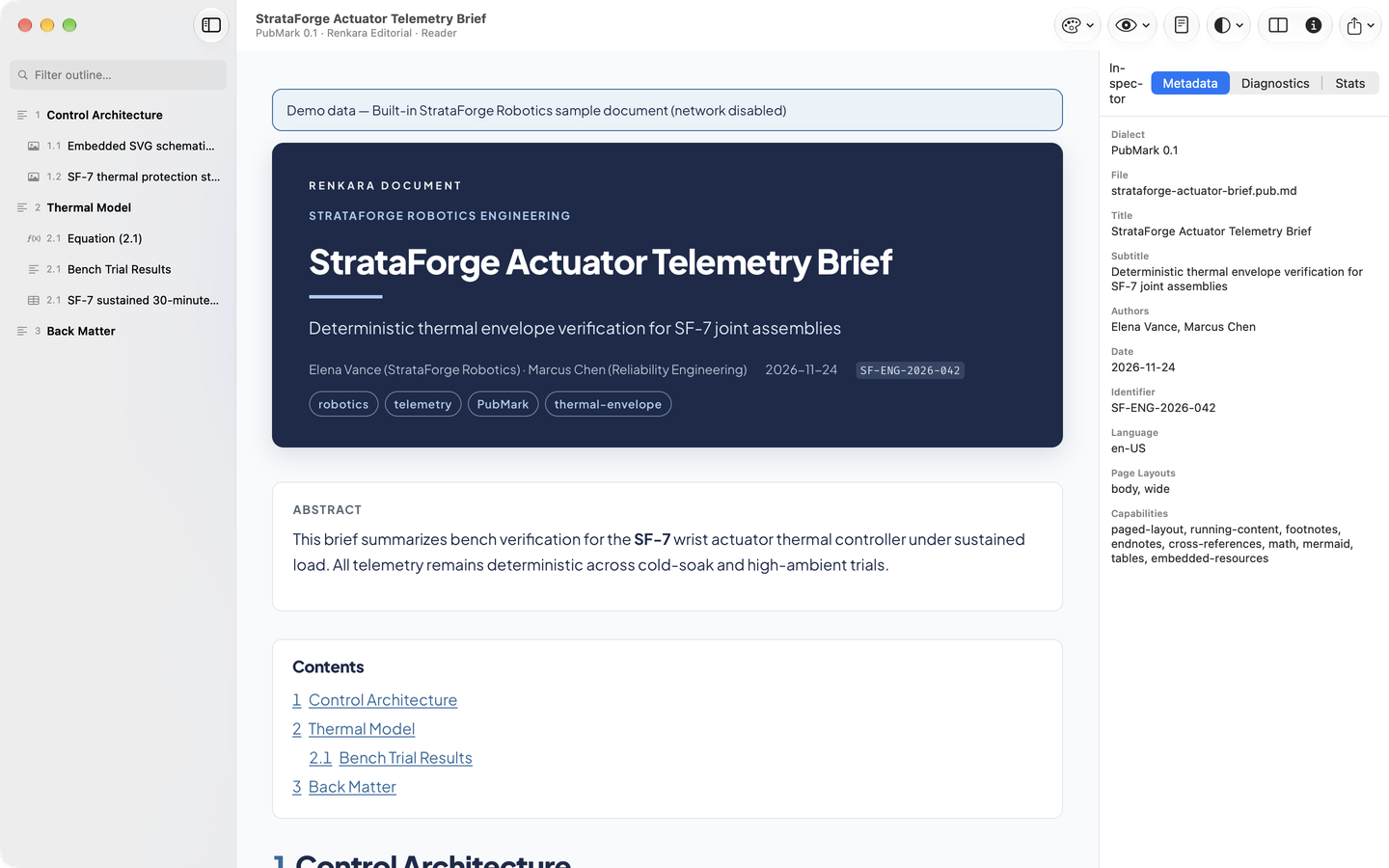
A filterable outline tracks the section you are in (Command-Option-1). The Inspector shows metadata, PubMark diagnostics, and statistics (Command-I). Find is Command-F, and Source Peek puts the raw source beside the page (Command-Option-S).
- Your own templates
- Drop a .css file or a .galleytemplate bundle into the templates folder and choose Reload Custom Templates. The stylesheet contract is the --galley-* properties and the semantic .pm-* classes the built-in templates use.
- A command-line launcher
- The galley command opens files from a shell with a template and a mode, such as galley report.pub.md --template renkara-editorial --paged.
From the proof to a file
- Print, PDF, HTML, and the clipboard
- Print, Export PDF, Export Standalone HTML (self-contained, with the template's styles and the document's embedded assets), Copy as HTML, and Copy as Rich Text are in the menus.
- Exact proofs through Scriptorium, on request
- Turn on the local bridge and Galley asks Scriptorium on this Mac for the exact Renkara Document and Vantalect Sample proofs and for a tagged PDF/UA-1 export with its validation receipts. It is off until you turn it on, and when Scriptorium refuses a file, Galley shows the refusal.
See it in light and dark
Real captures of the running tool, with fictional StrataForge Robotics data. They follow your theme.
From file to proof
Find the file
Press Space on a .pub.md or .md file in Finder and read it at once, in the template your Quick Look default names.
Open it in Galley
Double-click it, or run galley on the path. The window opens in your default template for that kind of file.
Proof it
Switch the template, the display mode, the appearance, and the projection, and read the diagnostics. Edit in your own editor and the window follows each save.
Send it on
Print, export a PDF or HTML, or ask Scriptorium for an exact, validated tagged PDF.
Built so everyone can use Galley.
Galley is a native Mac app, so the web standards do not apply to it directly. Here is what it supports today, read from its code, what this site's two live demos support (they were driven by keyboard and by mouse in a browser), and what nobody has checked yet. We do not claim a conformance level for Galley or for this site.
Partly supported
Keyboard operation
Every Galley command is in a menu and most carry a key: Command-1 through Command-8 choose a template, Command-Shift-P toggles Paged Proof, Command-Option-1 the outline, Command-I the Inspector, Command-F Find, and Command-K the template switcher. On this site the two demos are radio groups that move and select with the arrow keys, Home and End, and the digit keys, which a browser run drove. No one has walked the whole app using only the keyboard.
Not yet tested
Screen reader landmarks and labels
Galley has not been tested with VoiceOver, and a search of the app's Swift source finds no explicit accessibility label or hint, so its toolbar controls rely on what SwiftUI gives them. The pages it renders use landmarks, figures with captions, and tables with header cells. On this site the demos' radio groups are labeled and a polite live region says what changed, but no screen reader has been run against them.
Not yet tested
Contrast in light and dark
The contrast of the eight built-in templates in light, dark, and sepia has not been measured, and the app does not read the Increase Contrast setting. This site's own text colors pass the fleet showcase kit's contrast check in light and dark, but that check does not cover the documents shown inside the demos.
Not yet tested
Reduced motion
A search of the app's Swift source finds nothing that reads the Reduce Motion setting; Galley's own motion is the system's. On this site the demos fade the preview for 140 milliseconds on a change, and under a reduced-motion preference they do not fade and every transition inside the preview is off, which a browser run checked.
Partly supported
Text resize and zoom
Zoom in, Zoom out, and Actual Size (Command-plus, Command-minus, Command-0) scale the rendered page, down to 60 percent. The app's own controls use the system's text styles, but nobody has tested them at larger text sizes.
Not supported
Mobile and touch
Galley is a Mac app for macOS 26 or later. It has no iPhone or iPad version and no small-screen layout. This site works on a phone: the demos' controls are at least 44 pixels tall and the pages do not scroll sideways at 375 pixels, which a browser run checked.
Under the hood
| Platform |
|
|---|---|
| Formats |
|
| Engine |
|
| Network |
|
| Works with | Scriptorium: Exact Renkara Document and Vantalect Sample proofs, and tagged PDF/UA-1 export with validation receipts, over a loopback connection that is off by default. |
Questions people ask
Is Galley for sale, or can I download it?
No. Galley is internal to Renkara and is not offered for sale, and this site has no download, sign-in, or form.
Does Galley edit documents?
No. It is a viewer, a Quick Look provider, and a proof reader. Editing stays in your own editor, which Galley opens with Command-E and follows on every save.
Does it need a network?
Not to read or proof a document. Quick Look and the thumbnails have no network entitlement, and the app's pages block outbound requests unless you turn on remote images in Settings. The one optional connection is to Scriptorium on this same Mac.
Why does the app also say Markdown?
PubMark 0.1 is a Markdown dialect with front matter and directives, and a .pub.md file is a Markdown file to macOS. Galley opens plain Markdown too, shows its front matter as a collapsible header, and gives it the Swiss template by default.
What do the pictures on this site show?
The real app, launched in its built-in demo mode on invented StrataForge Robotics documents, with a Demo data bar showing. Nothing on this site is a real document.
Questions about this tool?
Write to Renkara Media Group and a person will answer.